How it works in GetMyMood
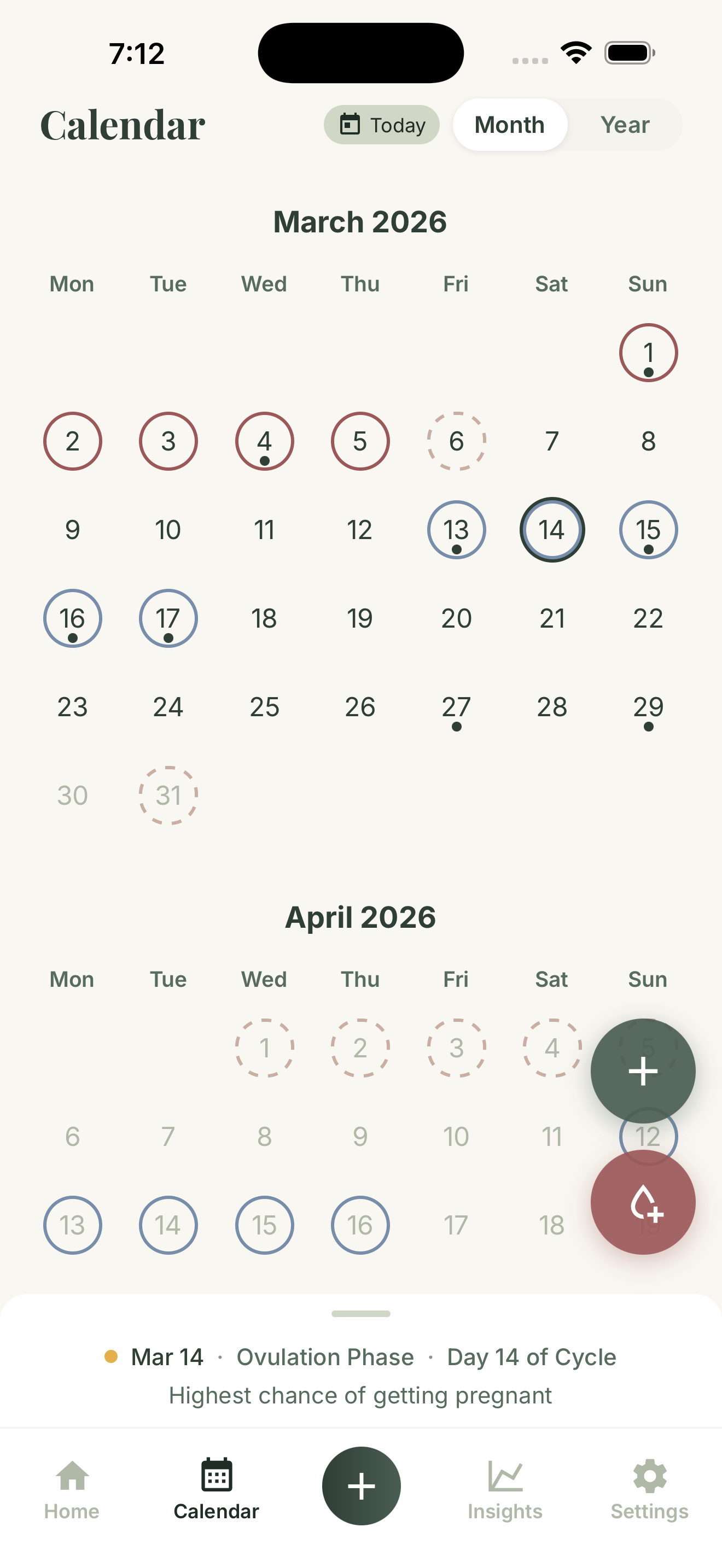
The calendar shows logged period days, symptom days, selected dates, and estimated upcoming cycle timing. You can select a date, return to today, and add period or symptom entries from the calendar view.
Calendar context can include predicted period days, estimated fertile timing, ovulation timing, cycle phase, and cycle day. These are informational estimates based on logged information and settings.
Why a period calendar helps
A calendar makes patterns easier to scan. Instead of reading every note one by one, you can see where period days, symptom days, and estimated timing land across the month.
That view can help you connect what happened with when it happened. It is especially useful when you want to edit past entries or compare the current cycle with recent history.
What calendar estimates mean
Period, fertile, and ovulation timing in the calendar are estimates based on logged cycle information and settings. They help the month feel easier to scan, especially when you want to plan around what may be coming.
Logged days remain the source of truth. When your actual period or symptoms differ from an estimate, updating the calendar keeps your history clearer for the next cycle.
What the calendar reveals over several cycles
Day to day, the calendar is a quick log. Month to month, it becomes a map. Scanning several cycles at once makes it easy to see how period days, symptom days, and estimated timing line up, or drift, across the weeks.
It is also where your history stays honest. If a period day was missed or a symptom entry belongs on a different date, calendar editing keeps your record more accurate, so the next comparison you make is one you can trust.
You can correct or delete any entry from inside the app, any time.
Scan your cycle at a glance
Want to see the same logged days in context? Open GetMyMood on the App Store or Google Play and scan your cycle at a glance from the calendar tab.
The GetMyMood home guide links every feature. Use the period tracker guide to log a period day, or the cycle tracker guide for the live phase dashboard.